Agentset stores file uploads in either S3 or S3-compatible services like Cloudflare R2. We recommend using Cloudflare R2 for self-hosting Agentset, as it’s a more cost-effective solution compared to AWS S3. Here’s how you can set it up:Documentation Index
Fetch the complete documentation index at: https://docs.agentset.ai/llms.txt
Use this file to discover all available pages before exploring further.
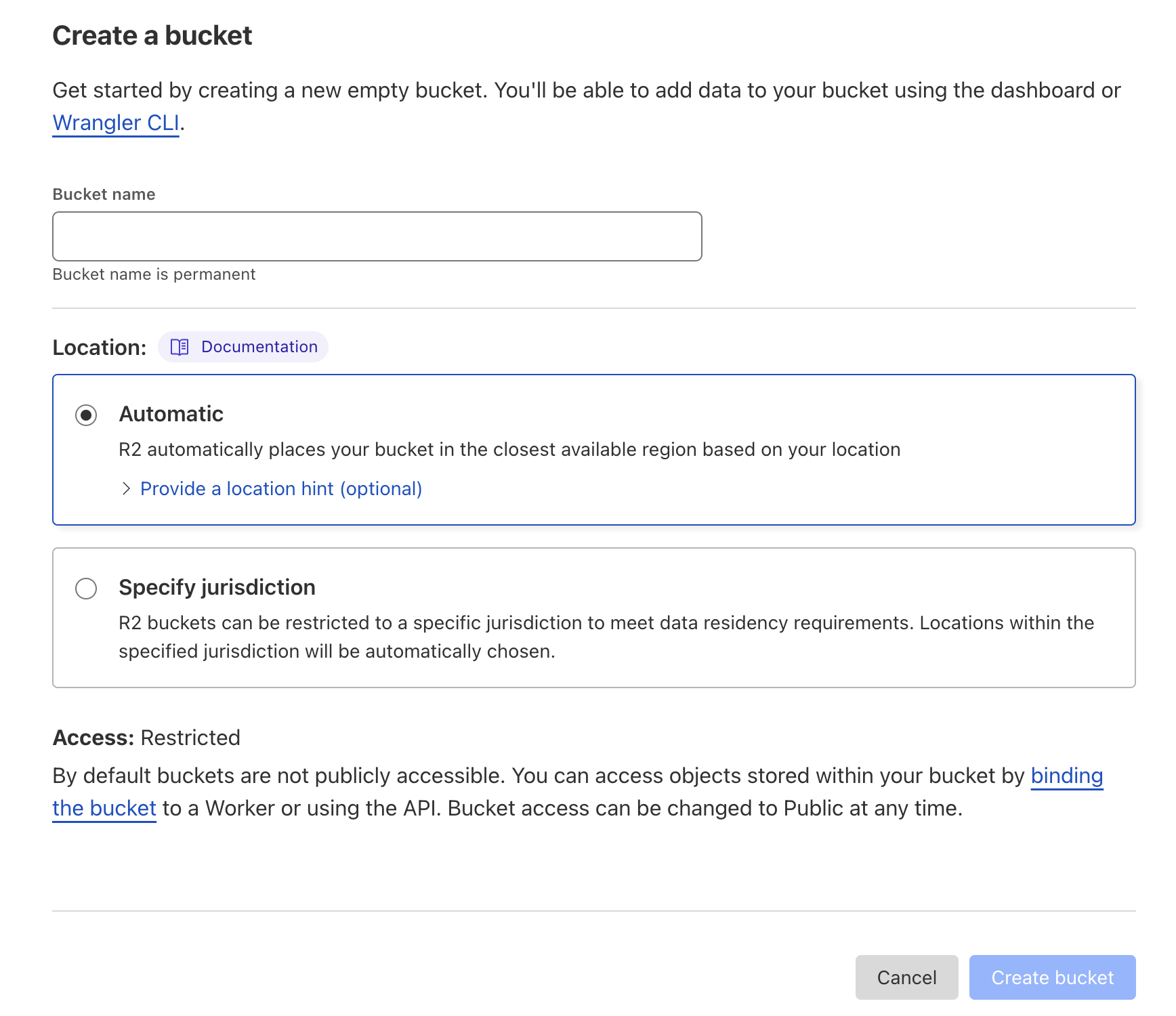
Create R2 bucket
You’ll need to subscribe to the R2 service if you haven’t already.
agentset) and leaving the remaining settings as is.
Set up access to R2
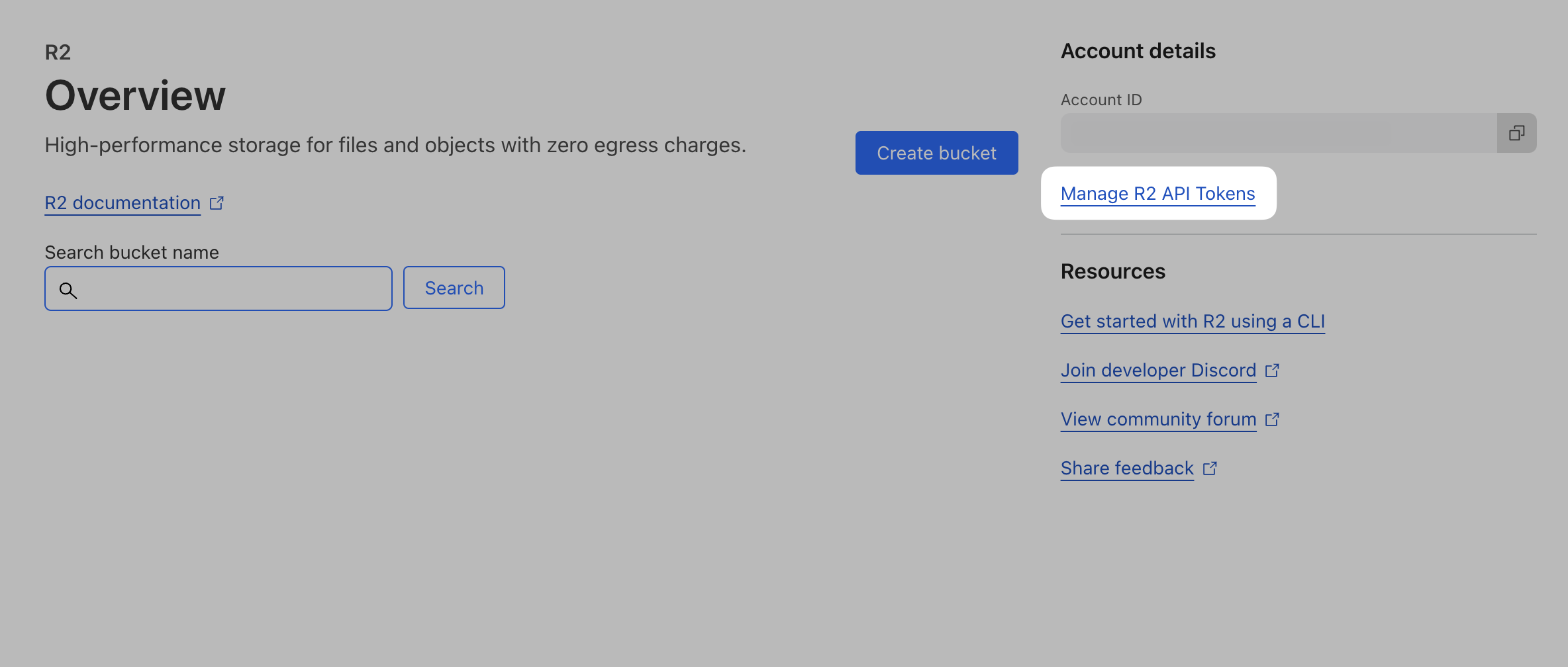
From the R2 main page, click Manage R2 API Tokens on the right-hand column.
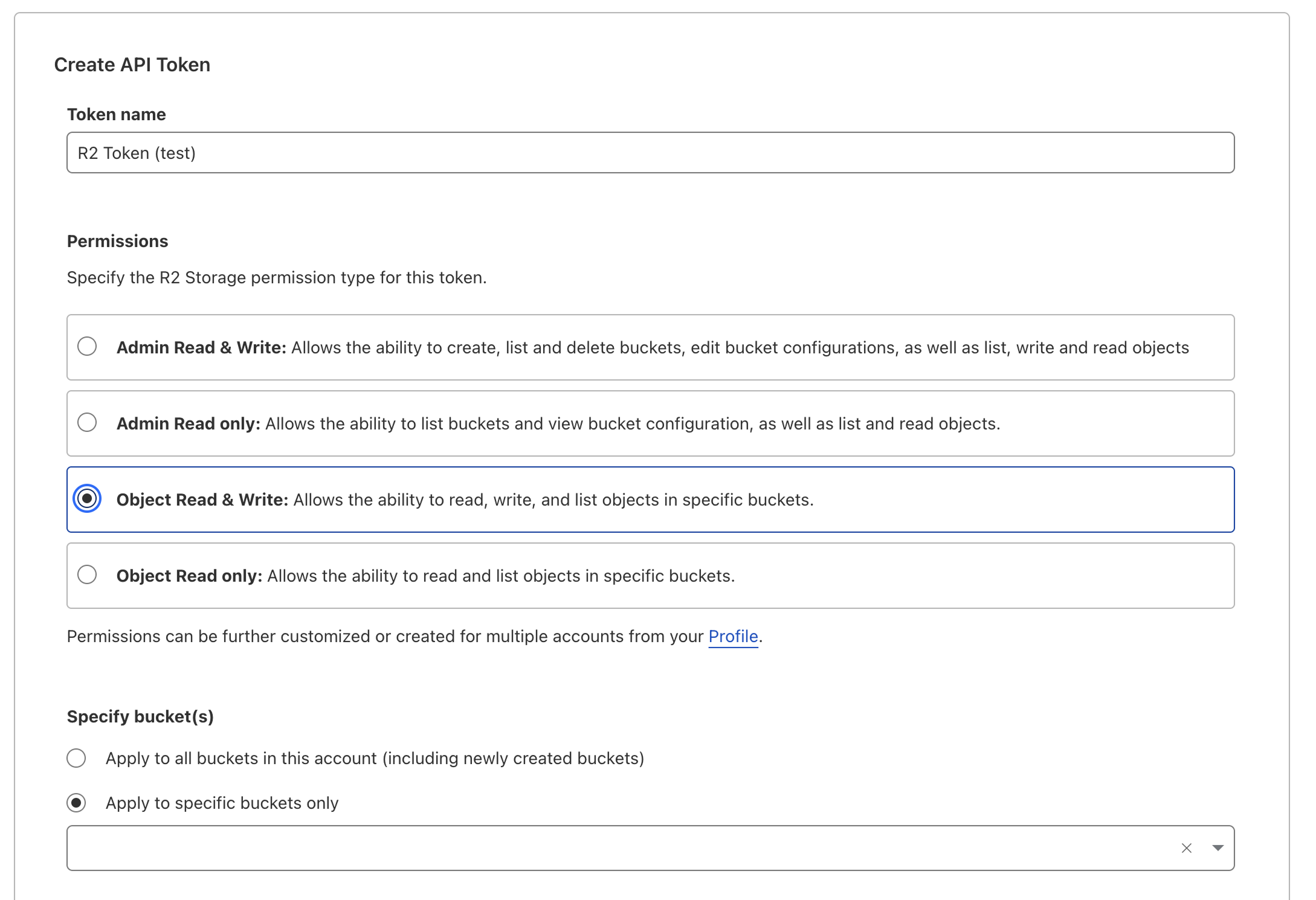
Then, click Create API Token.
Make sure to name your API token something relevant to the service that will be using the token.Give it “Object Read & Write” permissions, and we recommend only applying ito to a single bucket.You can leave the remaining settings (TTL, Client IP Address Filtering) as is, and click Create API Token.After you create you token, copy the


Access Key ID and Secret Access Key values – you’ll need them in the next step.