Documentation Index
Fetch the complete documentation index at: https://docs.agentset.ai/llms.txt
Use this file to discover all available pages before exploring further.
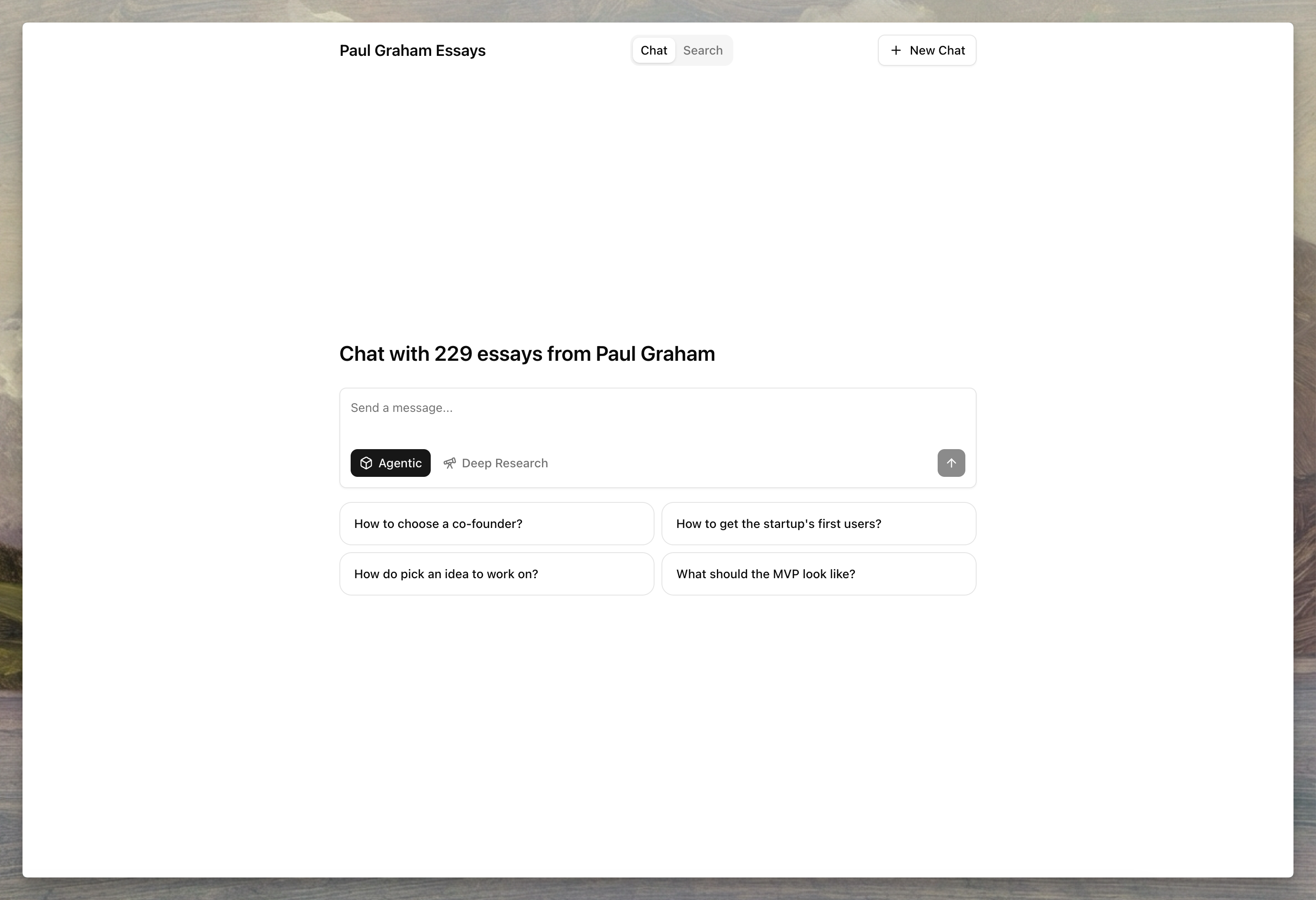
Agentset provides a prebuilt chat interface for each namespace, giving you a unique URL to test and share your RAG setup without building a custom UI.
Enable hosting
Open your namespace in the dashboard and navigate to Hosting to enable the hosted interface.
Custom domain
Connect your own domain to serve the hosted interface from a branded URL.
To configure a custom domain:
- Add your domain in the Custom Domain field
- Create a CNAME record pointing to
cname.agentset.ai
- Save and wait for DNS propagation
Protection
Restrict access to specific users by configuring email or domain allowlists.
| Setting | Description | Example |
|---|
| Email | Allow specific email addresses to access the hosted page | alice@company.com, bob@example.org |
| Domain | Allow all users from specific email domains | company.com, example.org |
Customize the interface
Configure the appearance and behavior of your hosted chat interface from the dashboard.
Hosting details
| Setting | Description |
|---|
| Title | Display name shown in the chat interface header |
| Slug | Unique identifier for your hosted URL (e.g., my-assistant creates app.agentset.ai/a/my-assistant) |
| Logo | Custom logo image displayed in the interface |
Chat settings
| Setting | Description |
|---|
| LLM Model | Language model for generating responses |
| Reranker Model | Model used to rerank retrieved documents |
| Top K | Number of documents to retrieve from the vector store (1-100) |
| Rerank Limit | Number of documents to keep after reranking (1-100) |
| System Prompt | Instructions that define how the assistant behaves |
| Welcome Message | Initial message shown to users when they open the chat |
| Citation Metadata Path | Metadata field to display as the citation label instead of chunk IDs (e.g., title or source.filename for nested fields) |
| Example Questions | Starter questions shown to users to help them begin a conversation |
Search settings
| Setting | Description |
|---|
| Enable Search | Allow users to search through your documents directly |
| Examples | Suggested search queries shown to users |
Manage hosting via API
Enable hosting
import { Agentset } from "agentset";
const agentset = new Agentset({
apiKey: process.env.AGENTSET_API_KEY,
});
const ns = agentset.namespace("YOUR_NAMESPACE_ID");
const hosting = await ns.hosting.enable();
console.log(hosting);
Get hosting configuration
const hosting = await ns.hosting.get();
console.log(hosting);
Update hosting settings
const hosting = await ns.hosting.update({
title: "My Knowledge Base",
welcomeMessage: "Welcome! Ask me anything.",
systemPrompt: "You are a helpful assistant...",
exampleQuestions: [
"What is RAG?",
"How do I upload documents?",
],
});
Disable hosting
await ns.hosting.delete();
console.log("Hosting disabled");
Next steps
- API Reference — Hosting endpoint parameters and options
- Search — Learn about search configuration options
- Ranking — Understand how reranking improves results
- Citations — Configure citation formatting